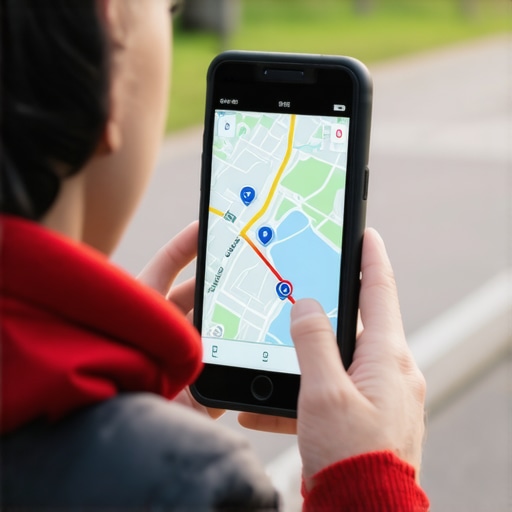
Stop Relying on Faulty Rank Trackers: How to Verify Your Real Map Position
You open your weekly SEO report and see a sea of green. Your google maps rank tracker tells you that you are sitting comfortably at the #1 spot for your most valuable keywords. You should be celebrating. There is just one problem: the phone isn’t ringing. Your service trucks are parked, your inbox is empty, and your revenue is flatlining. This is what we call “Silent Phone Syndrome,” and in 2026, it is the most dangerous diagnostic symptom a local business can face.
Section 1: The Proximity Paradox
The disconnect between a “green” rank report and a silent phone is caused by the Proximity Paradox. As a Google Business Profile Product Expert, I have seen thousands of business owners fall into the trap of trusting centralized data. In the current local search ecosystem, proximity remains the #1 ranking factor. However, the way a google business profile seo strategy interacts with proximity has changed fundamentally.
Traditional trackers often check rankings from a single static IP address or a data center located dozens, if not hundreds, of miles away from your actual place of business. If a tracker pings Google from a server farm in Northern Virginia, but your plumbing business is in downtown Chicago, that data is functionally useless. A customer searching from two blocks away sees a completely different map than a customer searching from five miles away.
In 2025 and 2026, “Near Me” searches have evolved. They are no longer just about physical distance; they are about real-time displacement. Google’s algorithm now prioritizes the user’s precise GPS coordinates over the general city-center bias of the past. If your tracker isn’t mimicking a hyper-local mobile user, it is lying to you. To truly understand your standing, you must look beyond the dashboard and engage in The Ultimate Guide to Local SEO Rebuild and Map Rank Recovery to ensure your foundation is actually visible to the people standing on your doorstep.
Section 2: Why Traditional Rank Trackers Fail in 2026
The technical architecture of most local seo software is built on legacy systems that Google has long since bypassed. Most trackers rely on IP spoofing. They attempt to trick Google into thinking the search is originating from a specific zip code. While this worked in 2020, the “2026 Logic Shift” has rendered this method obsolete.
The GPS vs. IP Conflict
Google now prioritizes true GPS coordinates and Wi-Fi triangulation over IP-based location data. When a user searches on a mobile device, Google knows exactly which corner they are standing on. Traditional trackers cannot replicate this level of granular detail. This leads to what we call “Signal Drift,” where the tracker reports a stable ranking, but the actual “ranking bubble” of the business is shrinking or shifting away from high-traffic areas.
The Radius Wipe and Neural Matching
We are also seeing the “Radius Wipe,” a phenomenon where Google’s neural matching AI filters out businesses that don’t have a strong enough “entity signal” to justify appearing outside a very tight 1-2 mile radius. If your local seo ranking tools aren’t testing at 0.5-mile increments, they are missing the moment your visibility drops off a cliff. To understand why your keywords might be failing you, it’s essential to realize Why Traditional Map Tactics Fail in the Age of Neural Matching. Google is no longer just looking for a keyword match; it is looking for an entity that matches the user’s specific local intent.
Section 3: Manual Verification: How to See What Your Customers See
If you want to rank higher on google maps, you must first see the world through the eyes of your customers. This requires manual verification. Most people think “Incognito Mode” is the answer, but it’s not. Google still uses your browser fingerprint and general IP location even in Incognito mode.
Step-by-Step: Using Chrome Developer Tools for Geolocation
To get a true reading, you must “sensor” your location using Chrome’s built-in developer tools. This allows you to hard-code a specific latitude and longitude into your browser.
- Open Chrome and press
Ctrl+Shift+I(orCmd+Option+Ion Mac) to open Developer Tools. - Click the three dots in the top right corner of the DevTools pane, go to “More tools,” and select “Sensors.”
- In the Sensors tab, find the “Location” dropdown and select “Other…”
- Enter the exact latitude and longitude of a specific intersection in your target neighborhood.
- Navigate to Google Maps and perform your search.
The “Maximum Zoom” Test
Another critical diagnostic is the Maximum Zoom test. Sometimes, a business is technically “indexed” but is being suppressed by a filter. If you search for your category and don’t see your pin, try zooming in as far as the map allows. If your pin only appears at the highest level of zoom, you have a signal strength issue. We detailed this in our case study on How We Fixed a Listing That Only Appeared at Maximum Zoom. This is often the first sign that your google business profile audit tool is giving you a false positive.
Section 4: Diagnostic: Why Your Real Rank is Lower Than Reported
When there is a discrepancy between your tracker and reality, it is usually due to one of three “hidden” filters that Google applies to the Map Pack. These filters are often invisible to automated software.
The Zombie Filter
Your listing is “live,” your dashboard says “verified,” but you are effectively a ghost. This happens when Google’s AI determines that your business entity lacks the necessary “life signals” – such as recent user-generated content, high-frequency reviews, or local citations – to compete. You exist, but you aren’t being served to users. This is a common result of 7 Signs Your Local SEO Rebuild is Stalled by Entity Mismatch.
The Cluster Filter (Inductive Filtering)
If there are multiple businesses in your category within the same building or very close proximity, Google will often “filter” all but the most authoritative one. If your competitor has a stronger historical signal, your pin will be hidden behind theirs. You might rank google business profile well on a tracker that doesn’t account for clustering, but in the real world, you are invisible.
The Category Killer
One of the most frequent errors we see is an incorrect primary category. If you are a “Plumber” but your primary category is set to “Heating Contractor,” you might rank for plumbing terms in a tracker, but Google will suppress you in the real Map Pack because of the relevance mismatch. It is a silent killer of reach, as explained in Why Picking the Wrong Business Category is Silently Killing Your Search Reach.
Section 5: Fixing the 2026 Signal Mismatch
Once you’ve identified that your real position is lower than your reported position, you need to take corrective action. The 2026 algorithm focuses heavily on “Signal Sync.”
Fixing Latitude Sync and Geo-Fence Errors
Your business exists in three places: your physical storefront, your Google Business Profile, and the underlying map database (the “ground truth”). If these three locations are off by even a few meters, it creates a signal mismatch. You must boost map pack visibility by ensuring your coordinates are identical across all high-authority platforms. If you suspect an issue, follow these 3 Maps Restoration Steps to Fix 2026 Latitude Sync Errors immediately.
Hyper-Local Signals vs. City-Wide Terms
In 2026, trying to rank for a whole city is often a losing battle for small businesses. Instead, you need to dominate your immediate neighborhood. Google’s AI now rewards businesses that have high relevance in specific micro-regions. This is why Why Neighborhood Keywords Beat City-Wide Terms for Local Rankings is the cornerstone of modern map strategy. By focusing on the areas where your “signal” is naturally strongest, you can rank google business profile listings more effectively than by chasing broad, competitive terms.
If your listing has disappeared entirely or is suffering from a massive drop, you may need to How to Fix the Latitude Error That Keeps Your Business Listing Invisible. This technical fix is often the only way to restore a “broken” pin that has been sidelined by the 2026 updates.
Section 6: Conclusion & The Path to Local Dominance
The era of “set it and forget it” rank tracking is over. If you are relying on a google maps rank tracker that doesn’t account for the 2026 signal shifts, you are making business decisions based on a fantasy. Real local dominance requires a diagnostic approach – verifying your real-world position, identifying hidden filters, and fixing the underlying signal mismatches that keep your business invisible to the customers who are literally standing right outside your door.
Stop guessing and start auditing. Use a google maps optimization platform that actually understands the nuances of the modern map pack. If your phone is silent despite your “green” reports, it’s time for a professional intervention. Contact Us today to begin your map restoration process and ensure your business is actually seen by the customers who matter most. For those looking for the most advanced diagnostic capabilities, I highly recommend exploring the tools available at SEO Viper Tools.
About the Author
Kevin Pauls is a renowned Local SEO Consultant and a Google Business Profile Product Expert. With years of experience as a Diamond-level contributor to the Google Business Profile help community, Kevin helps businesses and agencies navigate the complexities of local search to restore visibility and drive real-world revenue. He is a specialist in identifying and fixing technical signal errors that traditional SEO tools miss.