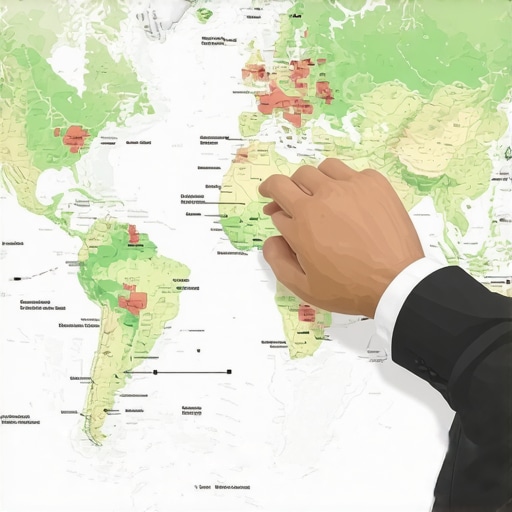
How to Set Service Areas Without Triggering a Spam Filter Suspension
For a local business owner, there is no sight more terrifying than the bright red “Suspended” banner across the top of your Google Business Profile (GBP) dashboard. In an instant, your primary source of leads, calls, and revenue vanishes. At GMB Ranking Restored, we call this a “revenue emergency.” Over the last decade, I have seen thousands of profiles disappear, and in 2025 and 2026, the #1 reason for these sudden shutdowns isn’t fake reviews or keyword stuffing – it is the incorrect configuration of Service Area Businesses (SABs).
Section 1: The High Stakes of Service Area Configuration
The Service Area Business model is designed for professionals who provide services at the customer’s location rather than at a fixed commercial storefront. This includes plumbers, electricians, landscapers, and mobile locksmiths. While this model offers flexibility, it is also the most heavily scrutinized by Google’s anti-spam algorithms. As we move into 2025-2026, Google’s automated filters have become significantly more aggressive. These filters use advanced machine learning to detect “lead-gen spam” – ghost listings created by unscrupulous actors to hijack local markets.
Unfortunately, legitimate local businesses often get caught in this dragnet. If your service area settings look even slightly like a lead-gen farm, the system triggers an automatic suspension. Understanding how to define your territory without alerting these filters is the difference between a thriving business and a digital ghost. If you find yourself in the middle of a sudden blackout, you need to know the immediate moves to make when your business listing disappears to prevent further damage to your brand’s digital footprint.
Section 2: Storefront vs. SAB: The Fundamental Choice
One of the most common mistakes I see is a “hybrid” approach that violates Google’s terms of service. Google is very clear: you either have a storefront where customers are greeted by staff during stated hours, or you are a Service Area Business. You cannot be both if you are operating out of a residential address.
Consider a home-based guitar repair business. If you fix guitars in your garage and customers come to you, but you don’t have a permanent, professional sign and public-facing commercial space, you are at high risk. In 2026, Google’s verification process is unforgiving. If you work from home, you must hide your address and designate yourself as an SAB. Failing to do so is the fastest way to a “Hard Suspension,” which is much more difficult to overturn than a simple policy violation.
Switching from a storefront to an SAB requires precision. You must remove the physical address from the “Location” tab and immediately define your service areas. This transition often triggers a re-verification request. To ensure your profile remains healthy during these technical shifts, utilizing professional google business profile optimization services can provide the safety net needed to keep your ranking stable. Remember, Google’s goal is to ensure that if a user drives to a pin on a map, there is actually a business there. If there isn’t, and your address is public, you are a target for the spam filter.
Section 3: The “2-Hour Rule” and Other Spam Filter Triggers
The most critical technical guidance I can provide regarding service areas is what the SEO community refers to as the “2-Hour Rule.” Through extensive testing and forum research, we have found that Google’s spam filters flag any profile that claims a service area further than a two-hour driving distance from the business’s base of operations.
The Boundary Error
Many business owners believe that by selecting “California” or “The Tri-State Area” as their service area, they will cast a wider net for leads. In reality, this is an immediate red flag. Google knows that a local plumber is not driving six hours to fix a sink. When the service area is set too wide, the algorithm categorizes the listing as “unrealistic” and triggers a suspension for “misrepresentation.” If your profile is active but you aren’t seeing results, you might be wondering why your map pin only appears when you are logged in – often, this is a precursor to a filter-based shadowban caused by radius errors.
NAP Consistency and Service Areas
Your “Name, Address, and Phone Number” (NAP) consistency must extend to your service area. If your Google Business Profile says you serve “Greater London,” but your website’s “Areas Served” page lists cities in Northern England, the discrepancy will eventually trigger a manual review. Google’s bots crawl your website and social media profiles to verify the claims you make on your GBP. If the data doesn’t match, the filter assumes you are trying to manipulate the local search results. This is a core component of the ultimate guide to local SEO rebuild and map rank recovery: your digital footprint must be a cohesive, honest map of your actual operations.
Section 4: Step-by-Step: Setting Your Service Area Correctly
To avoid the dreaded suspension, follow this precise workflow when configuring your “Location” settings in the GBP dashboard. The interface has changed significantly for 2025, moving away from the old “radius” tool toward more specific geographic identifiers.
- Log into your GBP Dashboard: Access the “Edit Profile” menu directly from the Google Search results page.
- Navigate to Location: Select the “Service Area” section.
- Define by Specificity: Do not use the “radius” tool if it is still available in your region’s legacy view. Instead, add specific Cities, Counties, or Zip Codes.
- The “Rule of 20”: While Google allows you to add up to 20 service areas, I recommend staying between 5 and 10. Use broader, recognized regions (like “Manhattan” or “Brooklyn”) rather than listing 20 tiny neighborhoods. Too many micro-locations can look like “keyword stuffing” for locations.
- Verify Against your Website: Ensure these exact cities or zip codes are mentioned on your contact page or in your website’s footer.
For those managing multiple locations or looking for a competitive edge, using high-quality local seo tools can help you visualize where your competitors are setting their boundaries, allowing you to find “gaps” in the local market without overextending your own reach and risking a ban.
Section 5: Beyond the Setup: Ranking Your SAB in the 3-Pack
Setting your service area correctly keeps you alive, but it doesn’t guarantee you will rank. Service Area Businesses face a unique challenge: they lack a public pin. Because Google’s algorithm heavily weights proximity, SABs often struggle to outrank storefronts that are physically closer to the searcher. To overcome this, you must focus on Relevance and Prominence.
The Power of City-Specific Landing Pages
If you serve five different cities, you should have five dedicated service area pages on your website. These pages shouldn’t just be duplicates with the city name swapped out. They need local signals: mentions of local landmarks, local news, and specific projects completed in that area. If you skip this, you will likely find that your city pages are failing to attract local map traffic because they lack the “local scent” Google’s algorithm looks for.
Local Backlinks and Signals
To rank google business profile listings for an SAB, you need to prove your prominence. This involves getting mentioned on local blogs, sponsoring local events, and ensuring your business is listed in local directories (citations) that are relevant to your specific service area. Furthermore, ensure your technical SEO is airtight. Many owners overlook the background data; for instance, understanding why your Google Business Profile Schema is not showing in search can reveal hidden issues that are preventing your SAB from appearing in the 3-pack for outlying cities.
Section 6: Troubleshooting & Reinstatement
If you follow all the rules and still get hit with a suspension, do not panic. The 2026 reinstatement process is more rigorous than in years past. Google now frequently requires “Video Verification.” This involves a live or recorded video where you must show:
- Your Equipment: Tools of the trade (e.g., a plumber’s van, a lawyer’s briefcase, or cleaning supplies).
- Branded Vehicles: If you have a wrap or magnetic sign on your vehicle, this is gold for verification.
- Business Documentation: A physical copy of your business license or utility bill matching the business name.
Before you appeal, perform a “Triage.” Check your service area settings one last time. Did you accidentally include a city that is 3 hours away? Did you leave your home address visible? Fix these errors before submitting your appeal. For a deeper dive into the recovery process, consult our guide on why your profile got suspended and the fastest path to reinstatement. If you are still invisible after reinstatement, you may need the real reason your service area business is missing from maps to diagnose deeper algorithmic suppression.
Section 7: Conclusion & Action Plan
Configuring your Google Business Profile service areas is no longer a “set it and forget it” task. In the aggressive spam-filter environment of 2025-2026, precision is your only protection. Stick to the 2-hour rule, prioritize zip codes over broad radiuses, and ensure your website mirrors your GBP settings perfectly.
Your next step is to perform a self-audit. Use a no-nonsense audit checklist for businesses invisible in local search to ensure you haven’t left any “spam triggers” active in your profile. Don’t wait for the red banner to appear – audit your service areas today and secure your spot in the local 3-pack.